


SAFETY 24/7
Software Features More
Impeccable Detail

Crystal-Clear Insights with High-Quality Zoom
Our high-quality cameras let you zoom in on specific areas of an image to see them in crystal-clear detail, with exceptional precision.
As shown in the image above, this feature lets users examine critical areas in detail, supporting accurate assessments and informed decisions in real time.
Interactive Information
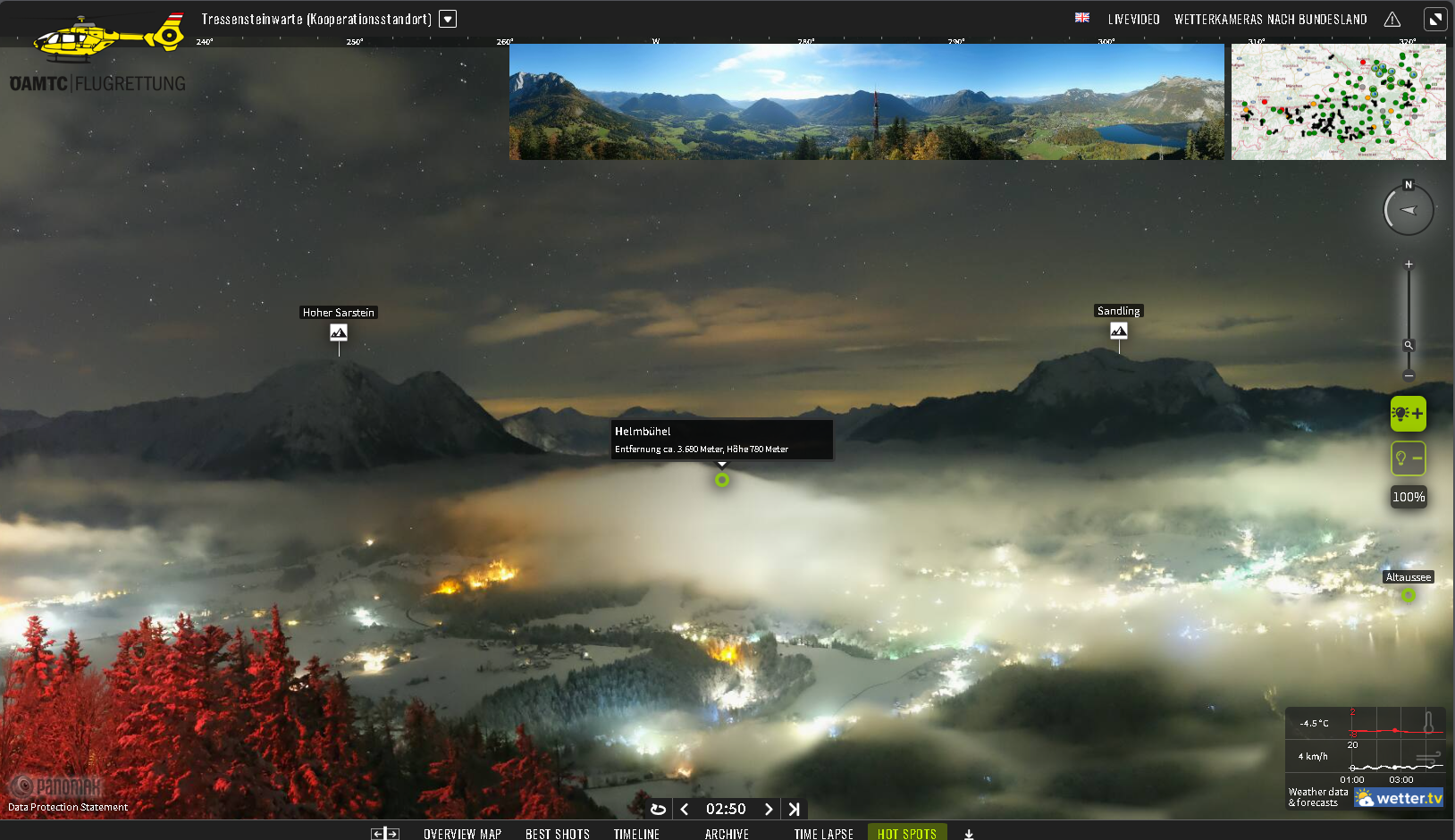
Easily assess the distance to obstacles in your field of view.
Our interactive information system provides pilots and air traffic controllers with accurate, real-time visibility data through continuously updated images. Hotspots and interactive lines let users assess visibility at various distances, including 100 meters, 500 meters, 3,000 meters, and beyond. Click the interactive markers to instantly view visibility levels at each distance, improving situational awareness and supporting safer, more informed decisions in dynamic flight environments.
Real-Time Weather Data
Weather Monitoring with Integrated Radar and Satellite Data
We integrate your satellite data into our interactive platform to provide comprehensive, real-time weather insights. Pilots can visualize detailed weather patterns, track storms, and accurately assess atmospheric conditions from above.
In addition, our Panomax 360° day-and-night cameras provide live, on-the-ground footage. Pilots can click the lens icons on the interactive weather map to access real-time, ground-level views—helping them prepare for preflight checks and improve situational awareness from the cockpit.
Real-Time Weather Data
Interactive overview map. Work smarter.
The Panomax overview map gives pilots efficient, easy access to a centralized tool that enhances situational awareness during critical operations. Its interactive features provide direct access to an extensive camera network, enabling pilots to:
1. Precisely identify flight paths, emergency locations, operating bases, or hospitals.
2. Click the camera icons to view specific areas in real time.
3. Preview the live view to quickly assess the surroundings.
4. Open the camera feed to explore detailed views, identify potential hazards, and access additional interactive features to support better decisions.
Obstacle Avoidance
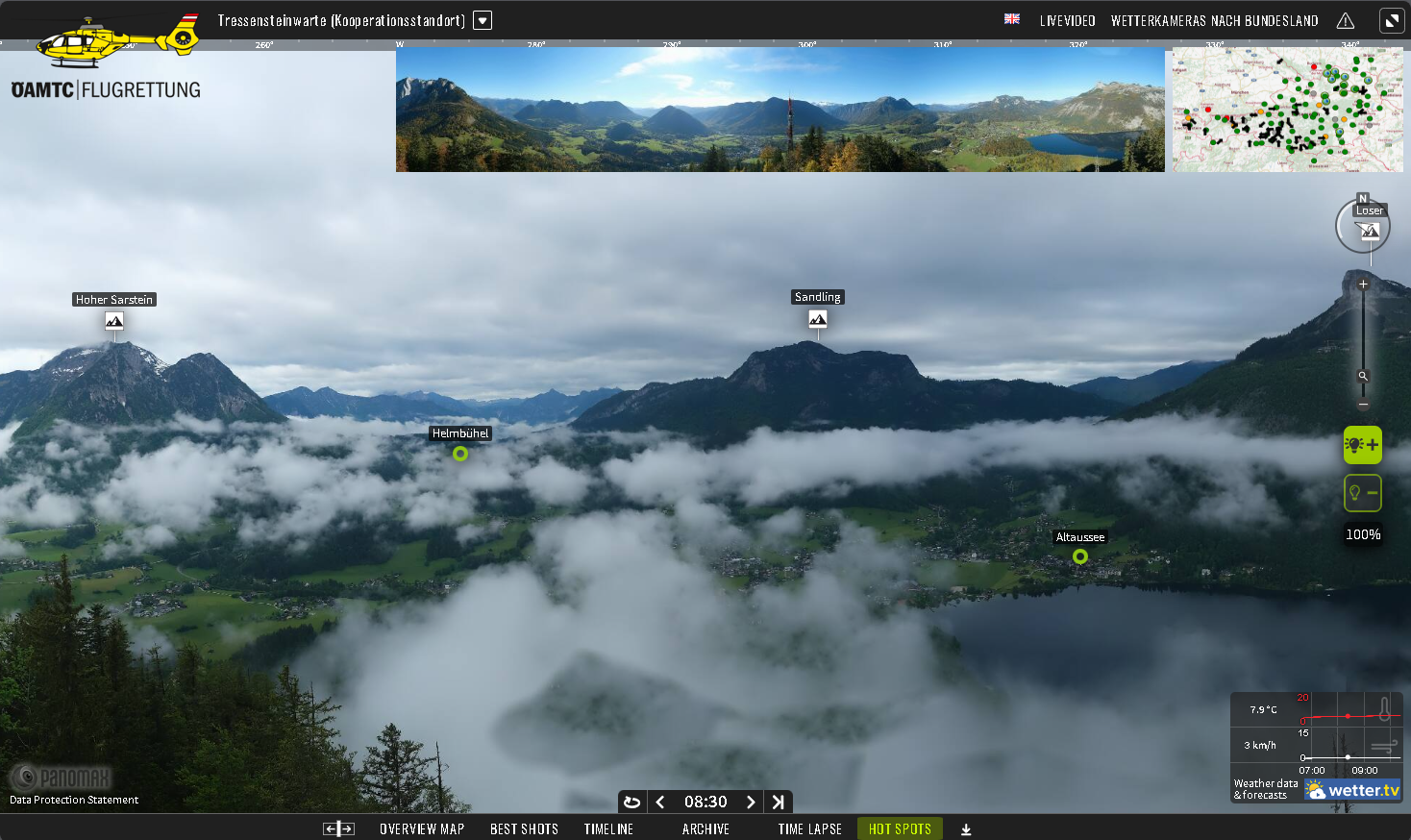
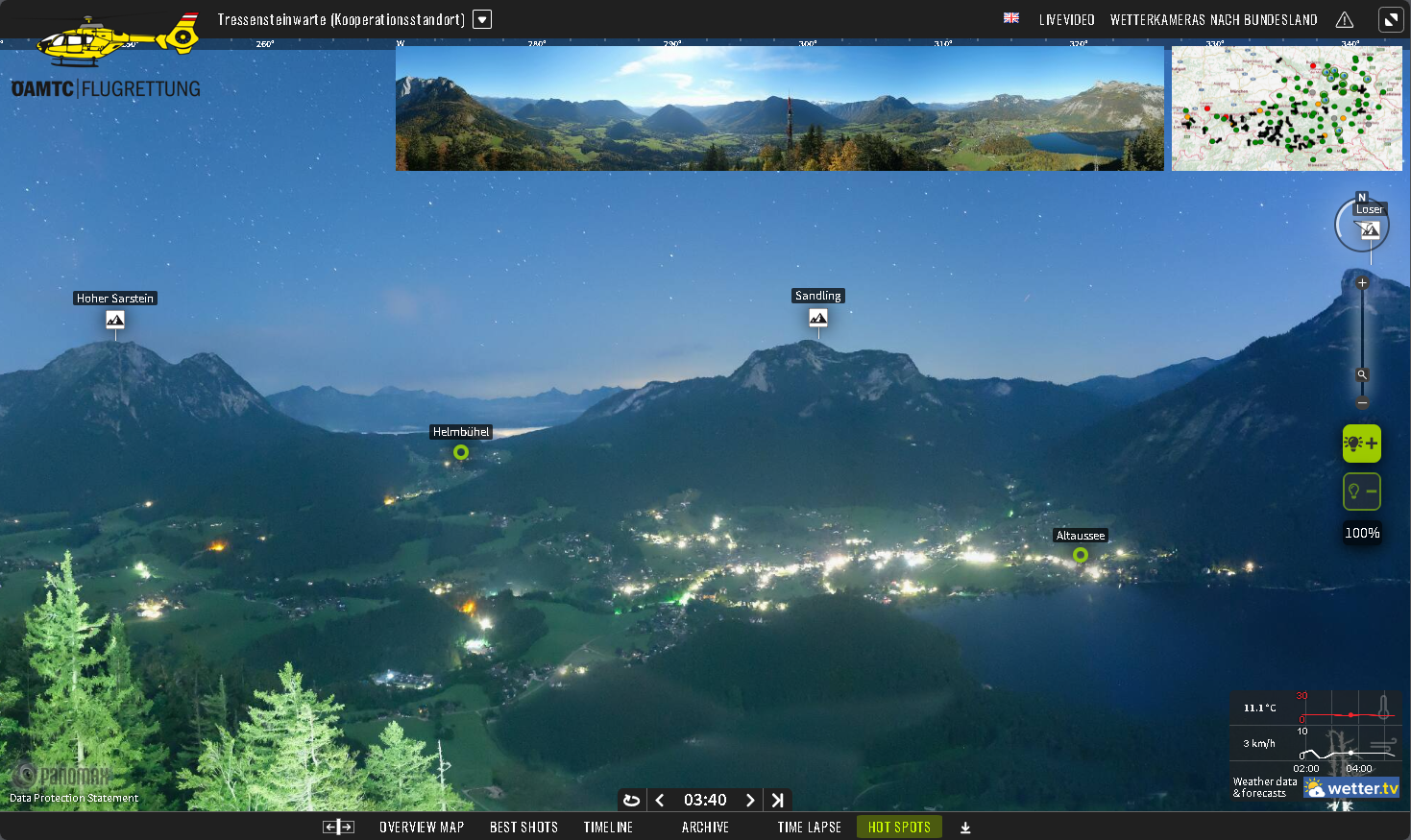
Enhancing Safety with Assisted Obstacle Avoidance
Panomax cameras feature advanced assisted obstacle avoidance technology to improve safety in low visibility, such as heavy cloud cover or fog. Users can draw lines on images to outline structures and natural features, such as mountain peaks. By indicating the location and distance of obstacles from the camera, the feature helps assess visibility and cloud-base height. It improves visual accuracy and situational awareness for safer navigation and monitoring in challenging conditions.
Personalized Features

Interactive Camera Integration for Real-Time Weather Verification
Panomax offers the flexibility to enhance its webcam feed with additional interactive features tailored to specific flight operations and safety requirements. These features can be developed and integrated into the system based on user needs, but will require a thorough discussion to define the design, programming, and implementation steps. Depending on the complexity and scope of the custom features, additional development costs may apply.